Conecta Google Calendar una vez y cierra un día con un clic.
OpusDone reserva en Google Calendar y en Cal.com, y en ningún otro proveedor de calendario. Lee todos los calendarios que marques como ocupados, escribe solo donde tú se lo permites, y toma sus cierres de una vista de mes que controlas tú. Los cambios llegan al agente en unos 15 segundos.
- OAuth, ninguna clave API en Google
- Los cierres se reflejan en Google
- Una lectura parcial da error, nunca supone libre
Revisado el
¿A qué calendarios se conecta OpusDone?
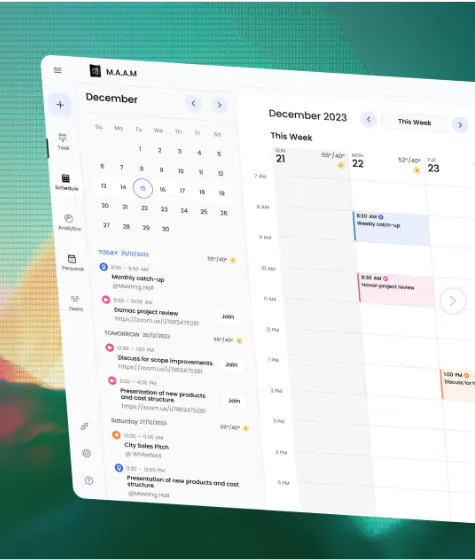
freeBusy barre todos los calendarios que hayas marcado como ocupados y fusiona el resultado, así que un compromiso personal bloquea un hueco del negocio. El endpoint de ocupación devuelve solo horas, nunca títulos de eventos. Una lectura parcial da error en lugar de tratar como libre un calendario que no pudo leer.

Google Calendar
Se conecta con OAuth, sin clave API. Los cierres se reflejan dentro como un evento de todo el día «Closed — {your business}»; borrar ese evento no reabre el día.
Cal.com
Se conecta con una clave API. Las reservas pueden esperar pendientes hasta que las aceptas, y las ausencias se registran en la cita.
La agenda nunca está tan ordenada como supone la integración.
Tu tiempo está repartido entre varios calendarios
La cita del dentista en tu calendario personal sigue siendo un motivo por el que no puedes ver a un cliente a las 11:00. Una integración que lee un solo calendario reservará justo encima.
Cerrar una semana no debería significar crear eventos
Agosto, un puente, el lunes después de una feria. Bloquear eso a mano, en el calendario correcto y en la zona horaria correcta, es justo la tarea que se olvida.
Un calendario leído a medias parece completamente libre
Cuando uno de los calendarios del barrido no contesta, lo fácil es tratarlo como vacío. Así es como una reserva acaba encima de algo que ya habías comprometido.
¿Cómo conectas un calendario a OpusDone?
- 01
Elige tu proveedor
Google Calendar o Cal.com. Conecta una agenda para el negocio, o una para cada persona con la que los clientes pueden pedir cita: hasta cinco en Business y diez en Pro. - 02
Google: entra con OAuth
Ninguna clave API que copiar a ningún sitio. Apruebas la conexión en Google y vuelves al panel. - 03
Cal.com: pega una clave API
Un campo, una clave. Cal.com trae después sus propios extras, incluidos un paso de confirmación de pendiente a aceptada y las ausencias registradas. - 04
Marca qué calendarios cuentan como ocupados
Cada calendario que marcas se barre en busca de tiempo libre y ocupado y se fusiona en una sola imagen, así que un compromiso personal bloquea un hueco del negocio. - 05
Fija tu horario
El editor de horario se niega a guardar una semana vacía, porque un agente sin horario es un agente que puede ofrecer cualquier cosa. - 06
Bloquea tus cierres
Haz clic en un día, o arrastra sobre un rango, en el calendario mensual. Festivos, una feria, la semana que estás fuera. - 07
Pruébalo en el sandbox
El sandbox ejecuta tus herramientas de reserva reales y se detiene justo antes de escribir, salvo que marques a propósito «reservar de verdad».
Lo conectas una vez. Cierras un día con un clic.
Google Calendar o Cal.com, conectados con OAuth y sin nada que mantener. Se barre y se fusiona cada calendario que marques como ocupado, así que un compromiso personal bloquea un hueco de cliente sin que tengas que pensarlo, y el barrido lee solo horas, nunca de qué era el evento.
Haz clic en un día, arrastra un rango, el calendario se cierra.
Dos proveedores, un mismo comportamiento.
Google Calendar, con permisos estrechos
La conexión pide calendar.events y calendar.readonly, y a propósito no el permiso completo de calendario. La app puede leer tu tiempo libre y crear la cita. No puede borrar tus calendarios.
Se entra con OAuth, no hay nada que pegar.

Cal.com, con confirmación y ausencias
Junto a las mismas barreras de reserva, Cal.com admite un paso de pendiente a aceptada, así que una cita puede esperar a tu sí, y te deja registrar una ausencia en la reserva.
Se conecta con una clave API.
Los cierres viven en OpusDone y se reflejan en Google
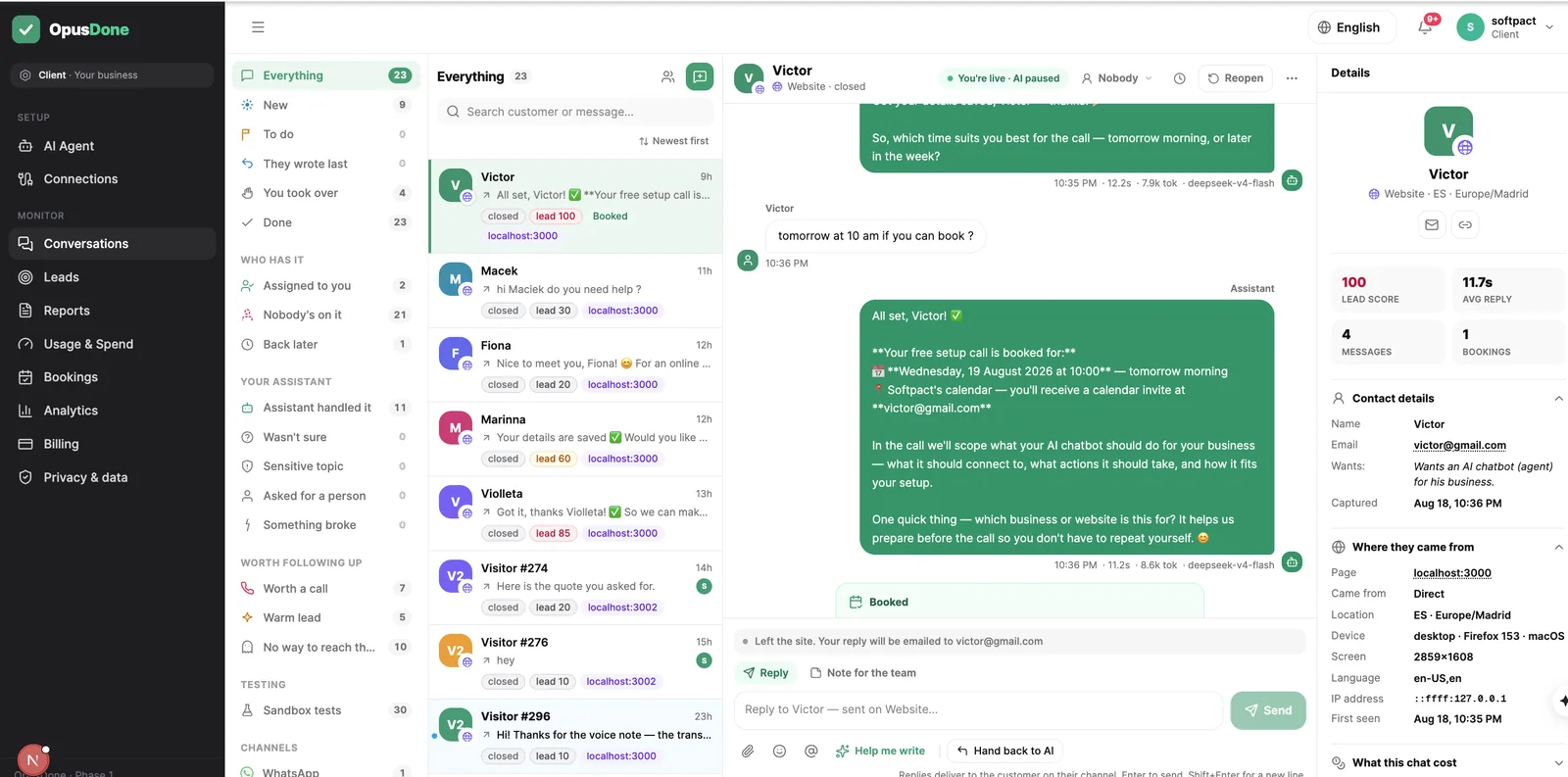
Un rango bloqueado aparece en Google como un evento de todo el día titulado «Closed — {your business}». Borrar ese evento reflejado no reabre el día, porque el cierre en sí se guarda aquí.
Los cierres se comprueban en tres sitios independientes, uno de ellos justo antes de escribir.

¿Qué no hará nunca OpusDone con tu calendario?
Algunas de estas cosas son permisos que no pedimos. Otras son cosas que decidimos que un agente no debería poder hacerle al calendario de un negocio.
No puede borrar tus calendarios
Los permisos de Google se quedan en los eventos y en el acceso de lectura. El acceso completo al calendario estaba disponible y no lo cogimos.
No tratará como libre un calendario que no puede leer
Una lectura parcial da error en vez de devolver en silencio una agenda vacía y alegre. No se ofrece nada sobre pruebas que no llegaron.
No reabrirá un día porque lo diga Google
El evento reflejado de todo el día es una copia para tu comodidad. Borrarlo en Google deja el cierre en pie dentro de OpusDone.
No guardará una semana sin ninguna hora
El editor se niega. Una semana vacía casi siempre es un error, y a un agente no se le debe dejar adivinando qué significa abierto.
No dará a cada persona su propia zona horaria
Todas las agendas funcionan con la zona horaria del negocio. Un equipo realmente distribuido, trabajando en dos países, no es algo que estemos dispuestos a vender todavía.
Preguntas sobre la integración de calendarios
¿A qué accede exactamente OpusDone en Google?
¿Qué añade Cal.com frente a Google Calendar?
¿Y si mi calendario se desconecta o caduca el token?
¿Mis citas personales bloquearán huecos del negocio?
¿Cómo cierro el negocio una semana entera?
¿Puedo probar la conexión sin que aparezcan eventos reales?

Más sobre reservas y disponibilidad
Conecta tu calendario, pruébalo gratis, y sal en directo.
Los cambios de horario y de cierres llegan a tu asistente en unos 15 segundos, y el editor de horario se niega a guardar una semana vacía. Un calendario desconectado o caducado no promete nada: cada llamada de reserva devuelve un resultado sin conexión y crea una escalada a una persona. Gratis para construir y probar, sin tarjeta; 14 días desde que sales en directo. Consulta la página de precios para ver los planes de hoy.
Empezar