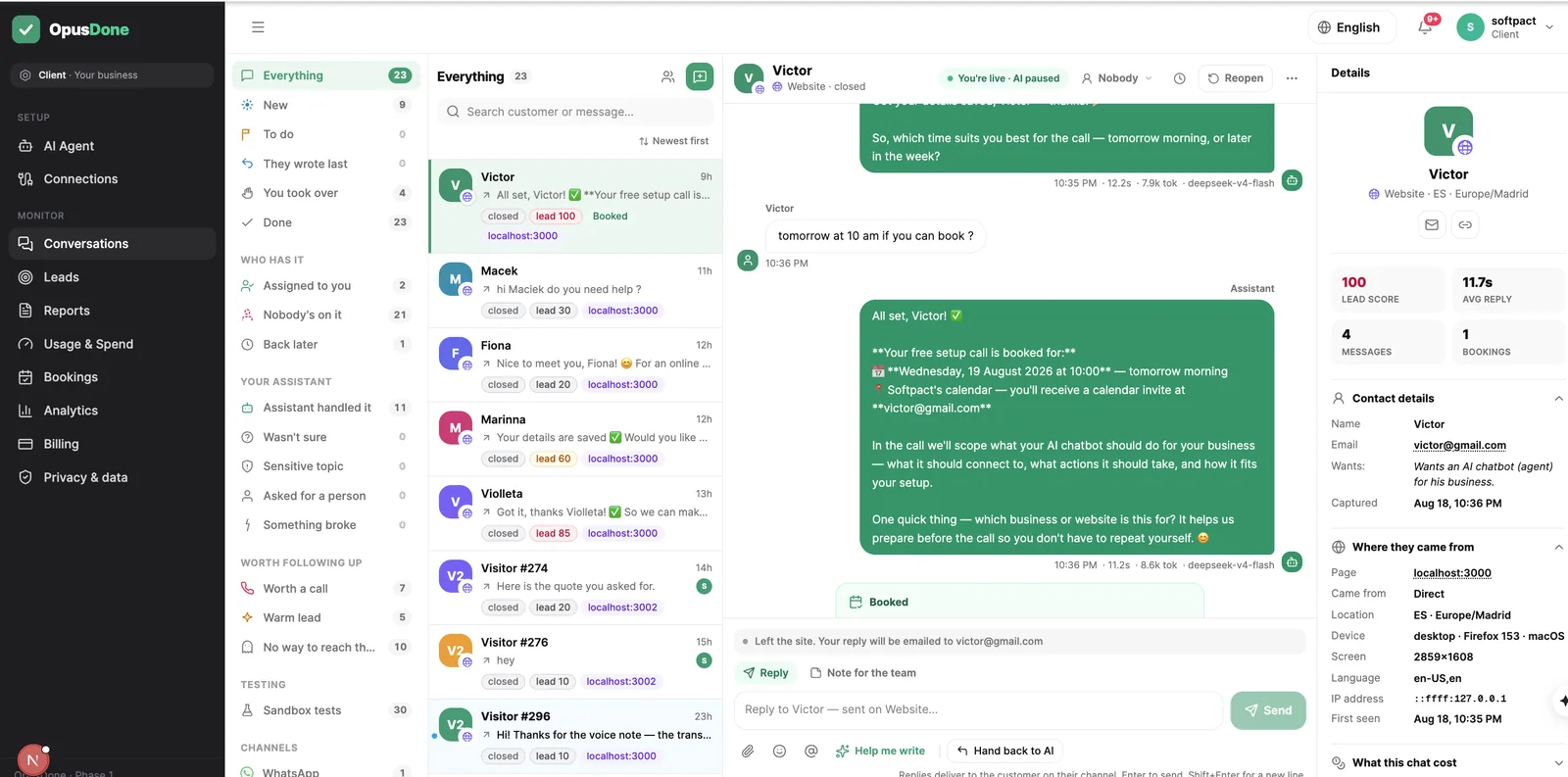
El widget web y Telegram ya están activos. WhatsApp es lo siguiente.
OpusDone
Iniciar sesiónSolicitar acceso
AI appointment booking

Your assistant books appointments, and it knows when you’re closed.

AI appointment booking that knows when you’re closed

OpusDone checks your working hours, your closures and your live calendar before it offers a single slot. Requests arrive at midnight, on public holidays, and two minutes before you open, so availability is re-read at the moment of writing and two people cannot take one slot. If it cannot read the diary, it says so and fetches you.

  • Live re-read before every write
  • Closures checked in three places
  • Local dates, never UTC

Reviewed

Appointments in the OpusDone bookings screen
Why bookings go wrong

Most booking bots trust a list of slots.

A slot list is a snapshot. By the time the customer says yes, the snapshot is history, and the model has no idea what day it is in your country.

01

A Monday is not always open

None of them know that 12 October is a national holiday in Spain. Before this filter existed, the calendar offered that Monday as sixteen open slots, because it is a Monday and Mondays are a working day.

02

The slots it offered are already stale

Five messages passed while the customer thought about it, and in that time the phone rang and someone took 16:00. A list shown earlier in the chat is not permission to write an event.

03

An empty diary and a broken diary look alike

A calendar that returns nothing might be a quiet week or a failed read. Guess wrong in one direction and you promise a slot you do not have; guess wrong in the other and you turn away a customer you could have seen.

Every single booking

How does OpusDone stop a double booking?

They run in this order, every time. Any gate that fails ends the attempt in a sentence to the customer, not a broken conversation.

  1. 01

    Identity

    A name, plus an email or a phone number. Without a way to reach the person, nothing is written.
  2. 02

    Time parsed in your timezone

    The requested time is parsed as an ISO time in the timezone your business runs in, not the one the browser happens to report.
  3. 03

    Calendar reachable and writable

    The connection is checked before anything is offered as final. A calendar that cannot be written to is not a calendar you can be booked into.
  4. 04

    Duplicate check

    The same person asking twice gets the same appointment confirmed back, not a second one in your diary.
  5. 05

    Live re-read of availability

    Free time is read again over a window of one day either side of the request. The slots offered earlier in the chat are explicitly not authorisation to book.
  6. 06

    Empty-window sanity check

    An empty three-day window is treated as a calendar it could not read, not as an empty diary. Nothing is promised, nothing is denied, and a human is escalated.
  7. 07

    The time must still be free

    The requested time has to appear in the fresh free list. Not the old list, not a near miss, the fresh one.
  8. 08

    Write with a deterministic id

    The event id is derived from calendar, start time and attendee. If the network times out and the write is retried, it reads the existing event back instead of creating a twin.
“00:30 on 25 December in Madrid is 23:30 UTC on the 24th, and a UTC comparison waves it straight through the Christmas closure.”
OpusDone engineering notes — closure checks and local dates

What happens when the calendar is down?

The booking tools stay registered, every call returns an offline result, and a human escalation is filed. Your assistant does not invent availability while it waits for you.

Your rules

The slot policy belongs to you.

At most six options, at most two from any one day

A customer gets a short, readable choice instead of a wall of times, and no single day is allowed to swallow the whole list.

Both limits are editable.

Appointments in the OpusDone bookings screen

Two hours of notice, by default

Minimum notice starts at 120 minutes — enough that a booking made at 08:58 does not land at 09:00. Raise it for jobs you need to prepare for, lower it if you take walk-ins.

A customer conversation in the OpusDone inbox

Sixty-day horizon, 30-minute slots, 15-minute steps

Granularity of 15 minutes means a day reads 09:00 / 09:30 / 10:00 rather than 09:07. Buffers before and after each appointment start at zero and are yours to change.

Working hours are checked before a slot is offered and again before the write.

Appointments in the OpusDone bookings screen
Where the booking lands

Which calendars does OpusDone work with?

Google Calendar and Cal.com. Both are read live before the write, and both are checked again against your hours and closures at the last moment.

Google Calendar

OAuth, no API key. The scopes are calendar.events and calendar.readonly, deliberately not full calendar, so the app cannot delete your calendars.

Cal.com

An API key connects it. Cal.com also supports a pending-to-accepted confirmation step and records no-shows.

Slot policy

What are OpusDone’s booking defaults?

6options offered at most
120 minminimum notice, editable
60 daysbooking horizon
3independent closure checks
Guardrails

What it will not do.

The gates above are code, not instructions in a prompt. These are the behaviours you do not have to hope for.

It will not book from a stale list

Availability is re-read immediately before the write. What was free ten messages ago is not evidence.

It will not read silence as an empty diary

A window that comes back with nothing in it is treated as a read failure and sent to you, not offered to the customer as a wide-open week.

It will not compare dates in UTC

Dates are compared as local dates. 00:30 on 25 December in Madrid is 23:30 UTC on the 24th, and a UTC comparison waves it straight through the Christmas closure.

It will not double-book on a retry

A timeout followed by a retry lands on the same deterministic event id, so the second attempt reads the first one back.

It will not cancel on a guess

A cancellation always reads the appointment back to the customer and asks them to confirm that it is the right one before anything is removed.

Appointment booking questions, answered

Can it book me outside my working hours?

Working hours are checked before a slot is offered and checked again before the event is written. Closures are checked in three independent places, one of them immediately before the write. A change you make in the dashboard reaches the agent in about 15 seconds.

Someone takes the slot while the customer is still typing. Then what?

A slot lost in the seconds between the check and the write is handled as a step in the conversation, not an error message. Your assistant offers alternatives from a fresh read and carries on. The customer never sees a failure.

Can customers cancel or change an appointment?

Yes. Your assistant reads the appointment back first and asks the customer to confirm it before acting. A background job also reconciles bookings against the calendar provider every 15 minutes.

How does it handle public holidays?

You block them yourself, by clicking a day or dragging across a range in the dashboard month calendar. The comparison is done on local dates, which is the part that usually breaks elsewhere: 00:30 on 25 December in Madrid is 23:30 UTC on the 24th.

Will the same person end up in my diary twice?

A duplicate check runs before availability is re-read, so someone asking twice gets the same appointment confirmed back. On top of that, the event id is derived from calendar, start and attendee, so retries collapse onto the existing event.

Can I test booking without touching my real diary?

The sandbox runs your real instructions and your real booking tools, then stops immediately before the write — unless you deliberately tick “book for real”. No leads, alerts, analytics or escalations are created, and no inbound channel can reach that mode.

Build it free, book for real when you’re ready.

Free to build and test, no card. The sandbox runs the real instructions and the real tools, and stops before the write unless you tick “book for real”. Your 14 days start the day you go live. Starter €39/mo, Pro €99/mo, 15% off yearly.

Solicitar acceso
AI Appointment Booking That Knows Your Hours | OpusDone