Booking system · payments · SMS reminders · a 24/7 AI assistant
Everything you need to run your business.
OpusDone takes the booking, holds the place and gets you paid — appointments with the right person, classes with places in them, a deposit or the full price up front. One flat monthly fee, and never a commission on a booking. A 24/7 AI assistant does all of it for you while you are working.
- Appointments and classes with places
- Deposit, full price, or pay on arrival
- 0% commission, on every booking
Reviewed

Marta booked 12:30 with Jordi — €10 deposit paid. Taken by the assistant at 23:41, with the shop shut.
All-in-one software to run your business.
Not four subscriptions that have to be told about each other, and not a booking page bolted onto a spreadsheet. One system, one login, one price, with the same calendar behind all of it.
Book
Your own page on your own link. Appointments with the right person, classes with places in them, and a calendar each for everyone on the team — read live from Google Calendar or Cal.com.
Get paid
A deposit, the full price, or nothing until they arrive — set service by service. The money goes to your own account, and we take none of it.
Remind
SMS and email before the appointment, each carrying a link to move or cancel it. Included in the plan, not a separate subscription.
Answer
A 24/7 AI assistant on your website, your OpusDone page or Telegram. It answers from your prices, checks the calendar and books — at eleven at night, in their language.
One system. Every kind of business that books time.
 Hair & barbers
 Nails & lashes
 Massage & spa
 Physio & fitness
 Tattoo & piercing
 Therapy & nutrition
 Clinics
 Classes & training
 Legal & advisory
 Optician & repair
 Auto & pets
 Home & viewings
Not on the list? If the thing you sell has a start time and a length, it fits. Tell us what you do →
Not only appointments.
A chair for half an hour, ten places in a Tuesday class, a deposit taken before anyone gets in the van. One system holds all of it.
An appointment, with the right person
Own hours, own services, own length and breaks, per person. Free times are read live from that person’s Google Calendar or Cal.com, so two customers cannot take one slot.
A class, with places in it
Say how many places each session has and fix the times it can start — 19:00 means 19:00. Yoga and pilates, ceramics and craft workshops, language classes, tastings, group training.
More than one place at once
One person books two places, or four. Asking for four in a class of two is refused rather than quietly reduced to two, and the deposit is per place.
A deposit, the full price, or nothing yet
Set it service by service. A consultation can be free to book while a tattoo asks for money down, and the time is held for about fifteen minutes while they pay.
In person, by video, or on the phone
Each service says which, with its own gap between bookings and its own notice period. A video appointment carries its link; an in-person one carries the address.
And whoever is on the desk can book it too
The client standing in front of you rebooking, without opening a calendar. Desk bookings, page bookings and assistant bookings are all one list.
Take the money at the moment they book.
Most small businesses put this off for a year, because setting up payments sounds like a project with a developer in it. Here it is a switch on a screen you already have open.
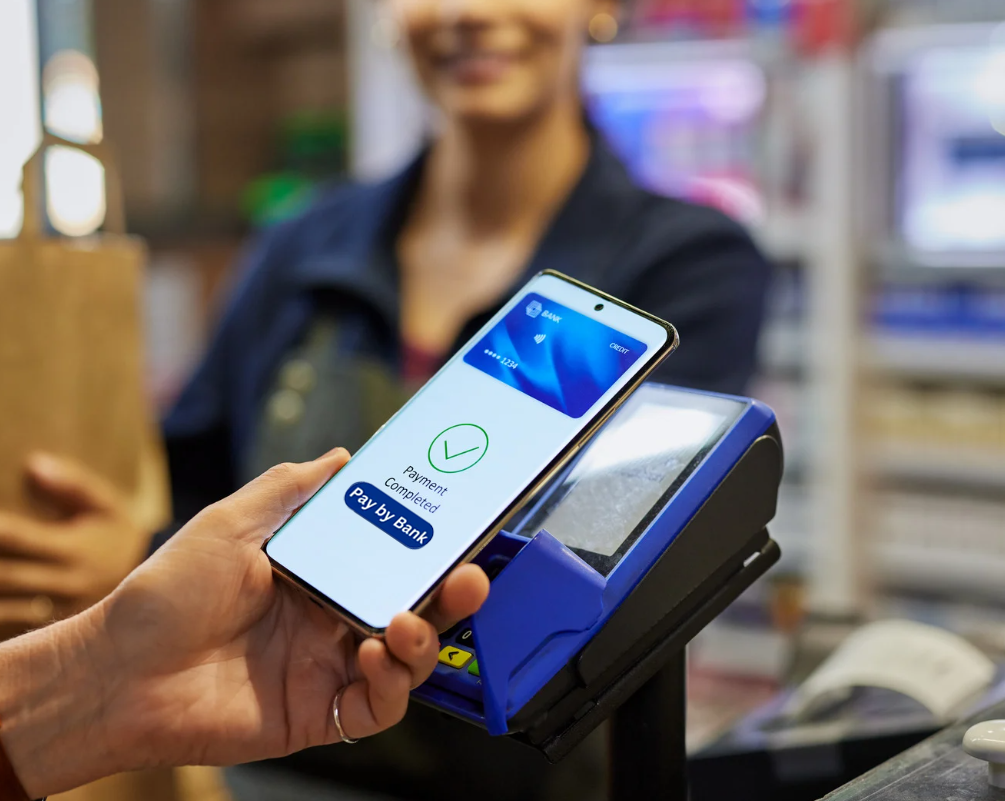
- A few clicks and you are taking card payments. No merchant account to apply for, no terminal to buy, nobody to hire.
- A deposit is what stops the no-show. Ask for part of it, all of it, or nothing until they arrive — set service by service. The time is held for about fifteen minutes while they pay.
- The money is yours before we ever see it. It lands in your own account on your own payout schedule. We never hold it, and we take no percentage of it.
- And the assistant can charge for you. It creates the order, sends the payment link, and tells you the moment the bank confirms it.
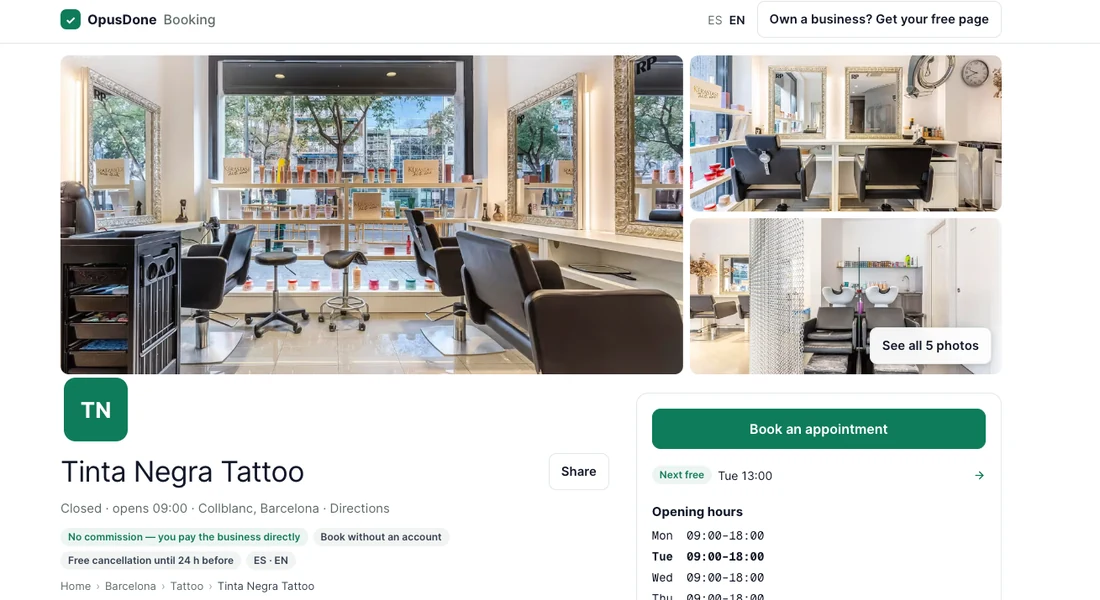
Your own booking page — and a place in the marketplace.
No mockup: this is the page every plan comes with, on its own link, and the marketplace your listing appears in the moment you switch it on.

It does not pass the enquiry on. It books it and charges for it.
The assistant checks the right person’s calendar, holds the time, creates the order and sends a payment link — into your own Stripe. You get a message the moment the bank confirms it. Nothing is marked paid because a chat said so.
- It holds the time while they pay. About fifteen minutes. If the payment never lands, the slot goes back on sale instead of sitting dead in your calendar.
- The money is yours before we see it. It goes to your Stripe account on your payout schedule. We never hold it, and we take no percentage of it.
- Only the bank confirms a booking. Stripe tells us, and then the booking turns paid. Not the customer, and not the assistant.


opusdone.com/go/demo
The same assistant, without a website visit.
Most of the people who would book with you will never open your website. They walk past the door, they are handed a card, they are sitting in the chair. A printed code puts the identical assistant in front of them — one knowledge base, one set of rules, one inbox, and the booking lands in the same calendar.
Nothing is configured twice. What you teach the assistant is what the printed code knows, and your own code is in the dashboard under Booking page → Share.
Why most of it does not fit you.
Most booking software was built for one trade and had the rest bolted on. Which is how a studio ends up with a calendar that cannot count places, and a clinic with one that cannot take a deposit.
A class is not an appointment
It has a number of places in it, it starts at 19:00 and not at 19:07, and one person may want two places. Software that only knows one-to-one either cannot sell it or oversells it.
The money arrives separately, if at all
Booking here, payment link there, a spreadsheet to reconcile them. The no-show you took nothing from is the one that hurts, and it is the one a deposit prevents.
And then somebody takes a cut
A percentage of a booking is a tax on your best month. It is charged on the regular who has been coming for four years as readily as on the stranger the platform found you.
Website or no website, you have a page people can book on.
Then this is your website.
Services, prices, people, photos and hours, on your own link. It opens in any phone browser, in the language the phone is set to — no app, and no account for your customer.
- A QR code for the window. On the door, a table card, a flyer, the side of the van. Somebody scans it after hours and they are booking.
- Listed in the directory, at no cost. Switch it on and you appear at book.opusdone.com. Positions in it are never paid for.
- A booking it sends you costs the same as every other booking: nothing.
Then keep it — and keep the traffic.
One script tag on the site you already have. No iframe, no rebuild, no migration, and nobody is sent off to a marketplace where your competitor is the next result.
- The visitor stays on your domain. The assistant answers and books in the chat, on the page they were already reading.
- Or link your booking page from it. A "Book" button in your menu, and the free page does the rest.
- Take the directory listing as well. Two front doors, one calendar behind them, and still 0% either way.
The same assistant, on whichever door they knock at.
Your website, your OpusDone page, or Telegram. Wherever the customer writes from, it reads the right person’s calendar, holds the time, creates the order, sends a payment link into your own Stripe and tells you the moment the bank confirms it.
One flat monthly fee. Never a percentage of what you take.
The booking system, your page, the calendars, the payments and the reminders. Pick the plan that matches how many of you take bookings — the AI assistant is an upgrade on top, not a different product.
It answers on your website and Telegram, books into the same calendars and hands over to you when unsure.
- Booking Solo Basic€49/mo
- Booking Team Business€116/mo
- More than one location Pro€158/mo
Same calendar, same contacts, same reminders.
Every price before VAT. No card to start, no minimum term, and you cancel from Billing in your dashboard. Commission on a booking is 0% on every plan, from every source — a new client, a regular, or somebody the directory sent you.
What it will not do
The limits belong on the page, not in the support queue.
It will not sell a place that is not there
When the last place in a class goes, the session stops being offered. Asking for four places in a class of two is refused, not quietly reduced to two.
It will not mark a booking paid because the chat says so
Only your bank confirming through Stripe does that. An assistant that believes "I have paid" is a refund waiting to happen.
It will not invent a price or a time
It answers from the prices and hours you approved. If it cannot read the calendar it says so and fetches a person, rather than offering a cheerful empty week.
It is not a marketplace
Your customers are yours. We do not email them offers, we do not rank you against the business down the road for money, and we take no percentage of what they spend with you.
Questions from businesses like yours
My business is not one of the twelve. Does it still work?
Can I take a deposit rather than the whole price?
Do I need the AI assistant?
Can it handle classes as well as one-to-one appointments?
Where does the money go?
I already have a website. Do I have to move?

Take the booking, keep the whole fee.
Appointments and classes, deposits and full payments. No card to start, and 14 days free.
Get started