You are under a sink and the message arrives anyway.
An AI answering service for plumbers that works in chat, not on the phone.
OpusDone answers the three questions you always get — do you cover my area, what do you charge to come out, can somebody come today — while both your hands are wet. It works in the chat on your website and on Telegram; it does not answer the telephone. It offers times from your real calendar and books the job, checking availability again at the moment it writes. By the time you are dry and back in the van, the work is in the calendar rather than with two other numbers.
- Answers while you are on a job
- Chat only, never the telephone
- Alerts on your phone via Telegram
Reviewed
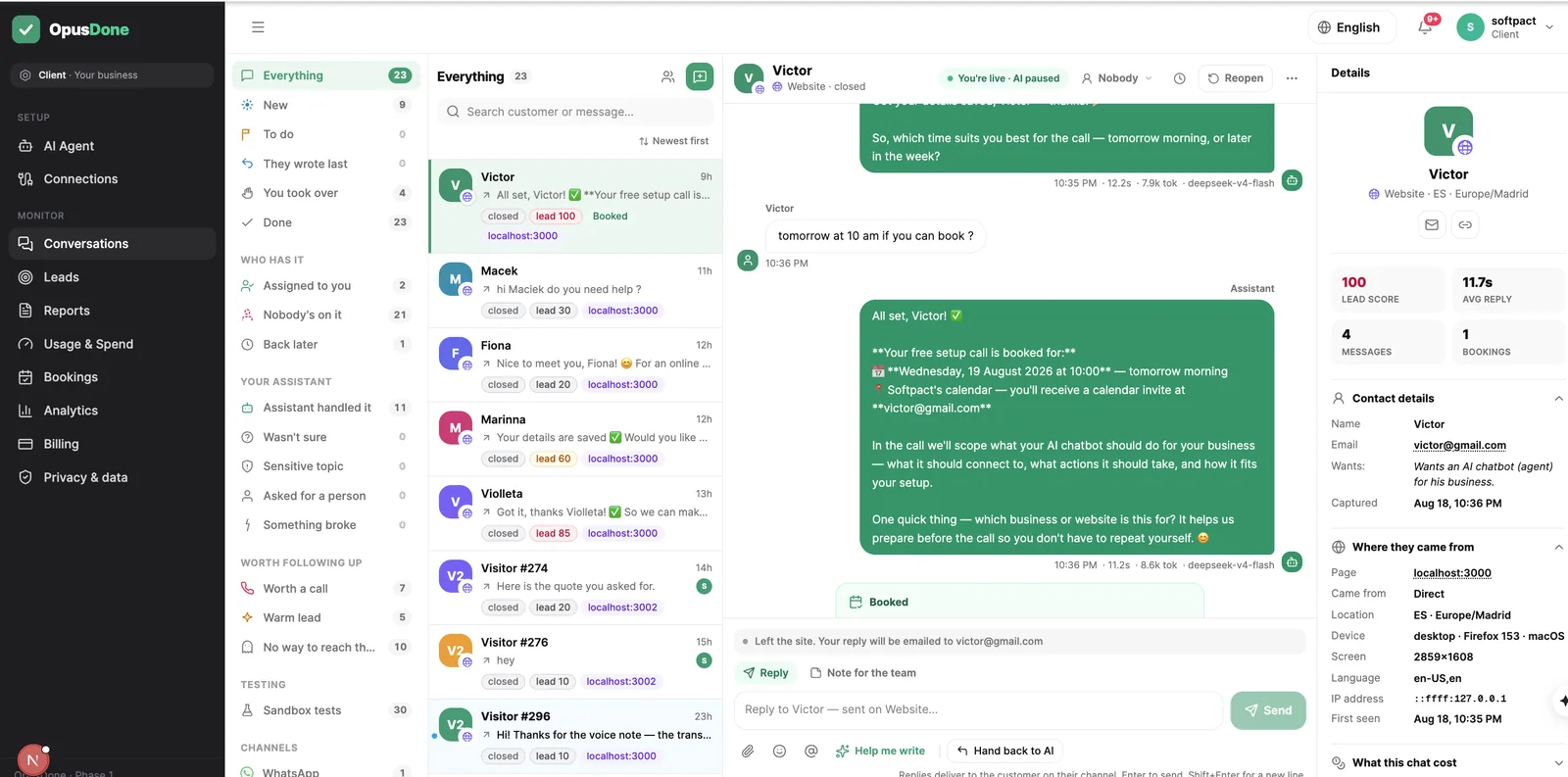
opusdone.com/go/demo
Every job you finish is a surface you already own.
The van parked outside a customer’s house is read by the whole street. The invoice is read twice. A code on either one answers the next person’s question about call-out charges and what you cover — without your phone going while you are under a sink.
That code opens our own OpusDone assistant — the same assistant your business would get. It gives a price range only where you have set one, and it never quotes a job it has not been told about.
Under a sink, both hands wet
The work does not pause because someone wants a quote.
- 09:12
Both hands wet
A message arrives from someone whose kitchen is flooding, and you are lying under a cupboard.
- 09:13
Answered without you
It gives your call-out charge and the districts you cover, straight from the answers you approved.
- 09:15
A photo comes through
It confirms the photo arrived, says plainly that it cannot open it, and hands the conversation to you.
- 12:40
Thursday morning booked
The slot respects the notice you need and the buffer you set between jobs.
- 17:50
One call back
You ring the person whose score passed fifty instead of working through the whole day’s messages.
Why do enquiries always arrive mid-job?
You cannot answer with wet hands
Every enquiry arrives while you are on a job, because you are always on a job. It waits four hours in a notification tray, and four hours is three quotes for a leaking cistern.
Half the enquiries are outside your patch
People message the first trade the map shows them. Working out that they are twenty kilometres past where you go costs the same two exchanges as a real job, and always at nine at night.
Nobody writes down the details
A name, a number, the postcode, whether it is a boiler or a blockage. You get half of it in the message and chase the rest tomorrow, by which point the job is somebody else’s.
From your service area to a job in the van
Half an hour at the kitchen table, once. After that it answers while both your hands are under a sink.
- 01
It reads whatever site you already have
The crawl looks for your services, call-out charge, FAQ, contact and hours pages by English and Spanish keywords, then reads the meta description, Open Graph tags and JSON-LD for your phone, address and opening hours. One model pass turns that into structured services, FAQs, policies and four to ten draft knowledge entries. It only fills fields that are empty, so anything you typed yourself is never overwritten by a later crawl. - 02
You approve what it may promise
Only entries you mark live reach the assistant — drafts, imports awaiting approval, archived and rejected entries are invisible to it. This is where you pin down the things customers argue about later: the area you cover, the call-out fee, whether you do gas, what you will not touch. A quality gate strips navigation text and cookie notices and drops anything under 80 or over 4,000 characters, so nothing vague ends up in the assistant’s mouth. - 03
You set working hours, travel buffers and notice
Working hours, and closed days set by clicking a day or dragging a range on the month calendar. Minimum notice defaults to 120 minutes and slots to 30, on a fixed 15-minute grid, with a 60-day horizon and buffers at zero — set a buffer of 30 minutes and it stops booking you back-to-back on opposite sides of town. Changes reach the assistant in about 15 seconds. - 04
You connect the calendar you actually live by
Google Calendar over OAuth, or Cal.com with an API key. It reads every calendar you mark as busy and merges them, so your daughter’s school run in your personal calendar blocks a business slot instead of sitting under one. It can read and create events, and cannot delete your calendars. - 05
You test it before a single customer sees it
The sandbox runs your real instructions and your real tools and stops before writing anything — no bookings, no leads, no alerts. Type the messages you actually get: no hot water, a leak under the sink, how much for a new socket. It is free and never gated, so you can change the wording and try again until it sounds like you. - 06
One line on your site, then it works your evenings
The widget is a single script tag on the site you already have, with no rebuild, and Telegram is the second live channel; both enter the same function, so the answer does not depend on where the customer started. Hours and closed days are checked before a slot is offered and again before it is written, availability is re-read at the moment of writing so two customers cannot take the same morning, and event ids are deterministic so a retry cannot double-book you. It replies in the language the customer wrote in, and adds the AI disclosure required by Article 50 of the EU AI Act once per conversation.
The job books itself while you are under a sink.
It takes the address, the problem, the access details and a phone number, says what your live knowledge says about call-out charges, and puts the job on your phone. The three calls you missed this afternoon become three jobs in your calendar.
What can OpusDone answer while you work?
Nothing reaches a customer until you have approved it.
- Which districts you cover, and which you politely decline.
- Your call-out charge, in your own words.
- What counts as an emergency, and what does not.
- Working hours, closed days, and the week you shut in August.
- How much notice you need before someone can book.
- That a photo cannot be read, and reaches you instead.
- No stock checks, no “I’ll find out and call back”.
- Job length, buffers between jobs, how far ahead you take work.
- Deposits and payment terms, said plainly — and taken when they book.
- Closing a day is one click, mirrored into your calendar.
- Which enquiries are worth a call back, scored and ranked.
What it covers, and how it reaches you.
It lives on your site and on Telegram
The widget is one script tag on your existing website, no iframe, and Telegram is the second live channel. Both are chat. It does not answer your telephone, and if someone closes the tab before you have replied, your answer reaches them by email instead of evaporating.
Website widget and Telegram. Not WhatsApp, not SMS.
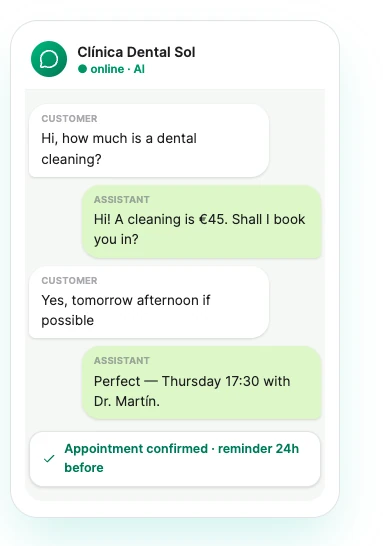
The questions it takes off your desk
Five it will answer today, from knowledge you approved: “Do you cover Gràcia and Sant Gervasi?” · “What is your call-out charge?” · “Do you do boiler servicing as well as repairs?” · “Do I get a written quote before any work starts?” · “Are you registered and insured?”.
The details are taken down before you read a word
Name, contact, area and what the job is become one lead with a plain score — phone +40, email +40, booked +40, name +10 — and you are alerted at 50. At most one alert per person per 15 minutes. Quiet hours default to 22:00 to 08:00 and hold only the phone-noisy channels; the escalation email is always sent.

What will OpusDone never do on your behalf?
The quickest way to lose a customer is a promise you did not make.
It will not price a job it cannot see
Only the call-out charges and rates you approved as live. No estimates for the repair itself, no ranges, no “probably about”.
It will not promise a van this afternoon
It offers only times your calendar genuinely has free, checked against your working hours and your closed days and read again at the moment of writing. It cannot invent an arrival time or a response-time promise.
It will not look at the photo of the leak
No image or document understanding of any kind. It tells the customer plainly that a person needs to look, and hands the conversation over.
It will not answer the telephone
This is chat only, on your website and on Telegram. Anyone who tells you their AI answers your landline is selling you something else.
Trade answering service questions, answered
What actually reaches my phone when something needs me?
What about a genuine emergency at three in the morning?
I do not have a website worth the name. Is this still useful?
A burst pipe and a Tuesday bathroom fit are not the same call.
Can it book a specific engineer?
Someone asks it to knock something off the price.
I can’t quote a job I haven’t seen. Does that break the whole thing?

More for trades and home services
Under the sink and still booked for Thursday
One calendar for the business, or one for each engineer, on Google Calendar or Cal.com. Attachments up to 25 MB are accepted and always create an escalation, because there is no vision capability and it will never pretend to see the leak.
Get started