She wants Saturday, and you are holding a bowl of colour.
An AI assistant for salon booking that fills Saturday while you work.
OpusDone answers the Saturday colour question while both your hands are full, quoting only the prices you approved and offering times from your real calendar. She messages mid-treatment, and the reply cannot wait until you cash up at seven, because by then she has booked down the road. It writes the appointment into your Google Calendar or Cal.com and checks availability again at the moment it books, so nobody is double-booked. It works in the chat on your site and on Telegram.
- Answers while your hands are full
- Only the prices you approved
- Two people cannot take one slot
Reviewed

Prices, times, Saturday. Ask it.
opusdone.com/go/demo
People really do stop and read your window.
Somebody walks past at eight in the evening, likes the look of the place, and wants to know what a balayage costs and whether there is anything on Saturday. The lights are off. A code on the glass answers both and offers them a time.
On the glass
Prices, how long it takes, whether you are taking new clients — answered from the pavement.
On the price list
The card you already print, with one line at the bottom that books.
On the appointment card
The reminder card they put in a purse. Rebooking becomes a scan rather than a phone call.
By the mirror
Forty minutes under a colour is forty minutes to ask about the next treatment.
That code opens our own OpusDone assistant — the same assistant your salon would get. When more than one person does a treatment, the customer picks who — and it only ever offers hours that person actually has free.
She wants colour on Saturday
You are mid-treatment. Both hands are busy. The chat is not.
- 11:20
Both hands in colour
A client messages about Saturday while you are at the backwash and cannot stop to reply.
- 11:21
Six times, no more
It offers at most six slots and never more than two from any one day.
- 11:24
Written while you rinse
Availability is read again at the moment of writing, so nobody else ends up with the same slot.
- 15:40
A price you never set
It says plainly that it does not know, and hands the conversation to you.
- 19:15
Closing the Monday
One click on the month view closes the day, and it shows as closed everywhere the assistant looks.
You cannot serve the client in front of you and the one on your phone.
Messages arrive mid-treatment
Foils in, timer running, phone face down on the trolley. The enquiry is easy — she wants a Saturday — but answering it means stopping, and stopping is not free.
Colour is a conversation before it is a booking
How long does it take. Does the price change if my hair is long. Do I need a patch test first. Three exchanges before anyone reaches for a calendar, and all three happen after closing.
Sunday night is when people plan their week
Your busiest hour for enquiries is one of the hours you are shut. On Monday you find eleven messages, four of them for slots that have already gone.
How does OpusDone get from your price list to a booked Saturday?
You set it up once, with your hands free, and it works the shifts you cannot.
- 01
It picks your services off your own site
The crawl finds your treatments, prices, FAQ, contact and hours pages by English and Spanish keywords, then reads the meta description, Open Graph tags and JSON-LD for your address, phone and opening hours. One model pass turns that into structured services, FAQs, policies and four to ten draft knowledge entries. Empty fields only — a description you wrote yourself stays exactly as you wrote it. - 02
You decide what it may say about colour
Nothing reaches the assistant until you mark it live. Drafts, imports awaiting approval, archived and rejected entries stay invisible, so last season’s offer cannot resurface on a Friday night. Each turn has a knowledge budget of 12,000 characters and no single entry may take more than 40% of it, so your cancellation policy is never buried behind one long page about the brand of colour you use. - 03
You set opening hours, Mondays off and buffers
Closed days are set by clicking one day or dragging a range across the month calendar, so a Monday-closed salon takes about ten seconds to describe. Slots are 30 minutes by default, minimum notice 120 minutes, buffers zero and horizon 60 days — change any of them. Times always land on a fixed 15-minute grid. Closures are mirrored into Google as an all-day closure event carrying your salon’s name, and deleting that event does not reopen the day. - 04
You connect a calendar for the salon, or one for each stylist
Google Calendar over OAuth, or Cal.com with an API key. It reads every calendar you mark as busy and merges them, so a training day or a personal commitment blocks a business slot rather than sitting beside it. It can book the salon as a whole, or a named stylist once each has a calendar of her own, and the permissions are narrow: read and create events, never delete a calendar. - 05
You try it as a client wanting colour on Saturday
The sandbox runs your real instructions and your real tools and stops before writing anything — no bookings, no leads, no alerts, no analytics. Ask it the awkward things: roots, a price you would rather quote in person, whether you are open on the Monday. It is free and never gated, so you can keep tuning until it sounds like the person on your front desk. - 06
One script tag, and it takes the messages you can’t
The widget is one line on the site you already have, and Telegram is the second live channel; both enter the same function, so the answer is identical whichever door was used. Hours and closed days are checked before a slot is offered and again before it is written, availability is re-read at the moment of writing so two clients cannot take the same slot, and it offers at most six options with no more than two from any one day. It replies in the language the client wrote in, and every conversation carries the AI disclosure required by Article 50 of the EU AI Act.
Saturday fills while both your hands are busy.
A client asks about a balayage at nine in the evening and is offered a time the stylist who does it actually has free — her hours, her appointment length, her break. Every price it quotes is one you typed and marked live. You read the bookings in the morning.
What can OpusDone handle while you are working?
The questions it takes off your desk
Five it will answer today, from knowledge you approved: “How much is a full head of highlights?” · “Do you have anything Saturday afternoon?” · “How long should I allow for a balayage?” · “Do I need a patch test before colour, and when?” · “Do you do men’s cuts without an appointment?”.
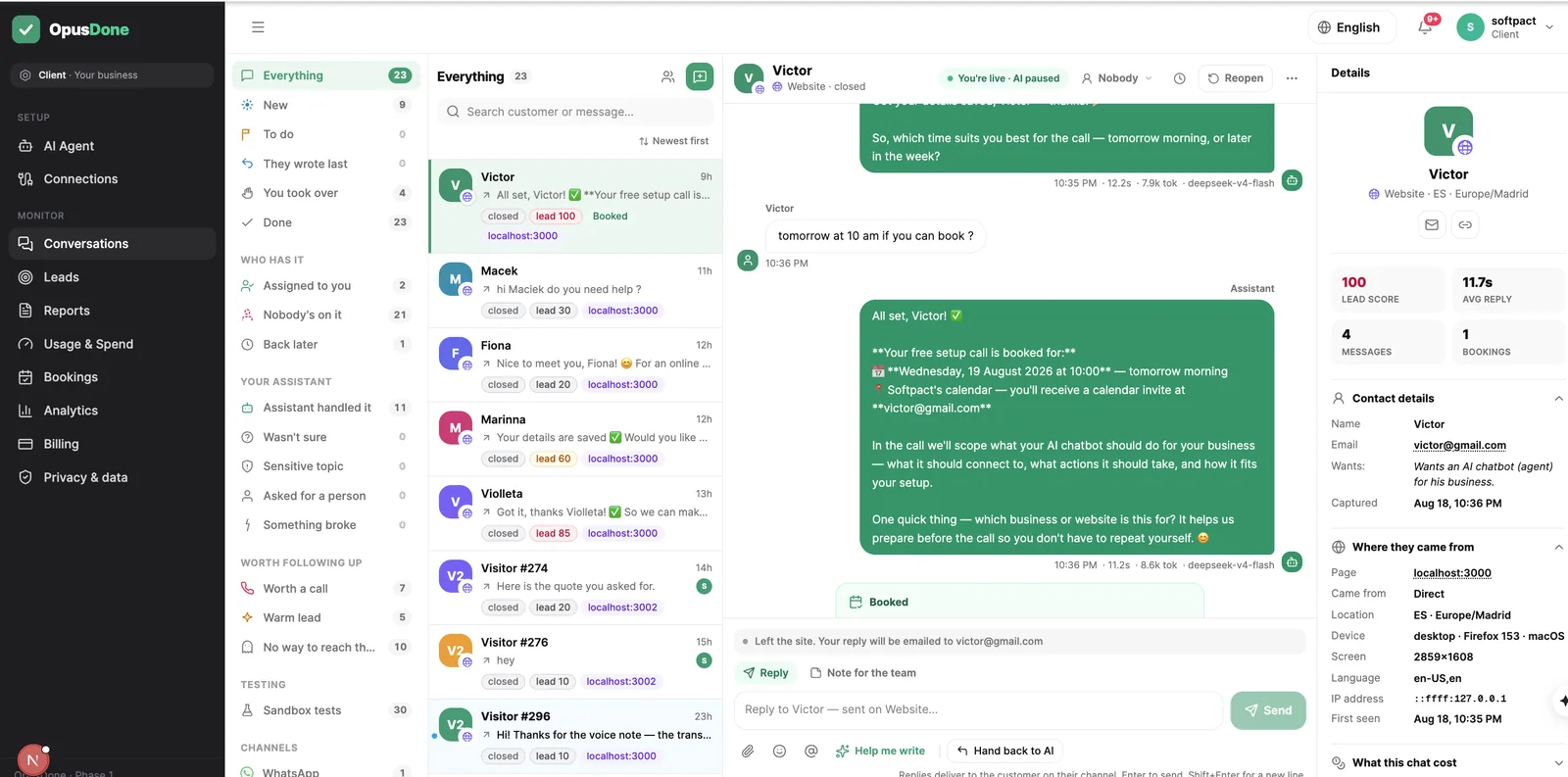
The book stays honest, including the days you shut
Closing a day is one click on the month calendar, or a drag across a range for the August break, and it is mirrored into Google as an all-day “Closed — {your business}” event. Closures are verified in three independent places, including immediately before the appointment is written, and deleting that event in Google does not quietly reopen the day.
Minimum notice 120 minutes by default. Horizon 60 days. All editable.

One script tag on the site, and Telegram if you want it on your phone
The widget is a single script tag, no iframe, and it sits on the pages you already have. Telegram is the other live channel, which is also where you can be pinged and take over a chat in two taps. A visitor who closed the tab before you replied gets your answer by email.
Website widget and Telegram are the two live channels today.
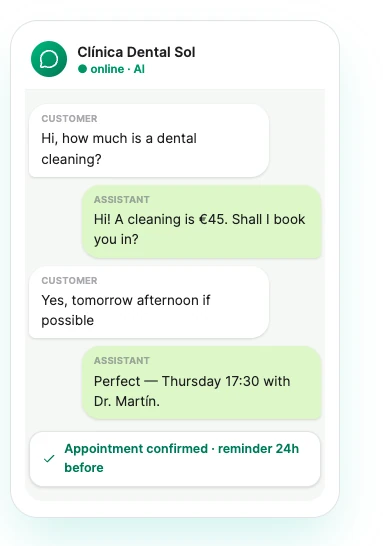
Availability is re-read at the moment of writing; a slot offered earlier in the conversation is never a reservation.
What will OpusDone never do in your salon?
Nothing here is a guess dressed up as an answer.
It will not quote a price you never set
No inventing, no ranges, no “usually around”. If the treatment is not in your live knowledge it says so and brings you in.
It will not share the work out between your stylists
A client picks her stylist, or takes the first time anyone has free. There is no rota that divides the week up evenly between the chairs — that judgement stays at the counter, where it belongs.
It will not look at the photo she sends
No image understanding, so no reading an inspiration picture or judging a regrowth. An attachment it cannot read skips the model entirely: it says so and fetches a person.
It will not double-book a Saturday
Availability is re-read live at the moment of writing, so the times offered earlier in the chat are never treated as a reservation. If a slot goes in between, she gets alternatives, not an error.
Salon booking assistant questions, answered
Can clients book with their usual stylist?
We close for two weeks in August. How much work is that?
Half our clients write in Spanish, some in English.
What about clients who simply do not turn up?
Does it answer our Instagram DMs?
A client wants to cancel at ten at night. What does it do?
My services run from twenty minutes to four hours. Can it cope with that?

More for salons and spas
She books Saturday while your hands are still full
One calendar for the salon, or one for each stylist, on Google Calendar or Cal.com. Closed days and working hours are both checked, and a slot lost between the check and the write produces alternatives rather than an error.
Get started