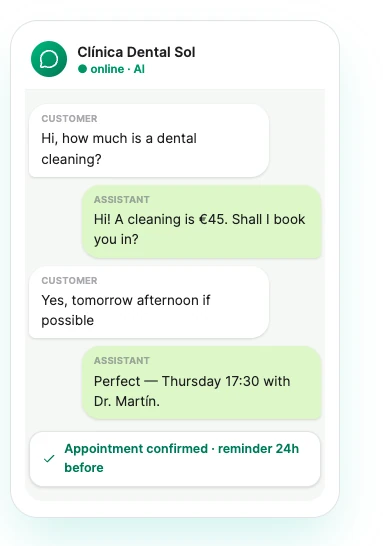
Web widget and Telegram are live. WhatsApp is next.
OpusDone
Log inRequest access
The full journey

One customer message, from arriving to a confirmed appointment.

OpusDone answers a customer on your website widget or your Telegram bot, checks your live calendar, and books the appointment inside the same conversation. Every channel enters the same function, so the answer does not depend on the door the customer came through. This page follows one message through every step the runtime takes.

  • Website widget and Telegram, live today
  • Availability re-read before every write
  • Answers only from live knowledge

Reviewed

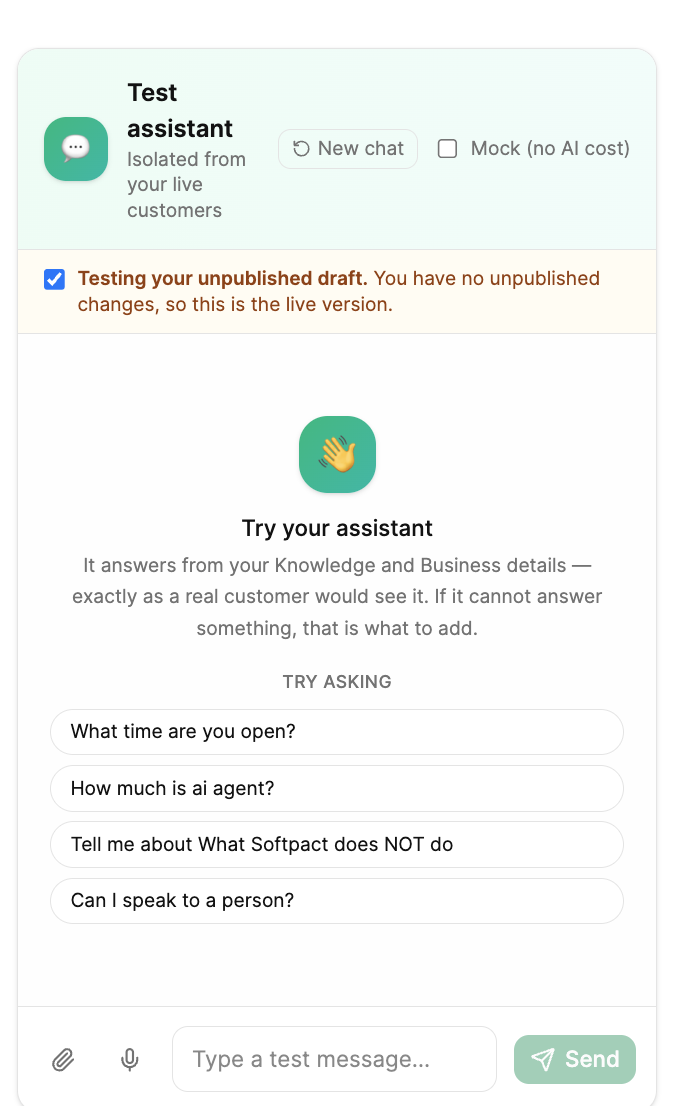
Testing an assistant in the OpusDone sandbox
Step by step

What does OpusDone do between the question and the answer?

None of them are optional, and none of them depend on the customer being polite about it.

  1. 01

    The message arrives

    Website widget or Telegram, every message enters one function. The channel changes the contact-capture instructions and nothing else, so the same question gets the same answer wherever it was asked.
  2. 02

    Your instructions load, then ours

    Your about-this-business block sits in the first layer. A platform layer is appended after it and states that the assistant is strictly scoped to your named business and may only use the knowledge supplied. The client cannot edit that layer.
  3. 03

    Only live knowledge is attached

    Entries marked live reach the model. Draft, awaiting approval, archived, rejected, blank and unknown statuses are excluded by a strict allow-list, so an entry with no status is dropped rather than let through.
  4. 04

    The budget keeps the short facts visible

    Up to 12,000 characters of knowledge per turn, and no single entry may take more than 40% of that. Oversized entries are truncated instead of crowding the rest out, so your opening hours cannot end up buried behind one enormous page.
  5. 05

    Today’s date is worked out again

    The date is injected in your business timezone and recomputed on every request. That is why “next Monday” never resolves into the past, and why a prompt built at 23:00 does not still claim yesterday at 00:30.
  6. 06

    The model answers, or admits it cannot

    Generation is tuned for factual replies: temperature 0.3, at most 1,024 output tokens, and the last 20 messages of the conversation for context. If the answer is not in the knowledge, it says it will connect the customer with a human rather than guessing.
  7. 07

    The answer comes first, the ask comes once

    A website visitor is anonymous and one click from gone, so the assistant answers the question, asks once for a contact detail, and never makes the answer conditional on getting it. Telegram gets a lower-urgency version, because that conversation can be picked up again later.
  8. 08

    The booking is written against live availability

    With Google Calendar or Cal.com connected, working hours and closed days are checked, availability is re-read at the moment of writing, and at most six options are offered with at most two from any one day. Event ids are deterministic, so a retry cannot create a duplicate.
A day on the desk

What an ordinary Tuesday looks like

Nobody is watching the widget. Here is what happens anyway.

  1. 07:40

    A question arrives

    Someone opens the widget before you have unlocked the door and asks whether you are open on Sunday.

  2. 07:40

    Answered from your knowledge

    Your assistant replies in the language they wrote in, using only the entries you marked live.

  3. 09:15

    A booking is written

    With Google Calendar or Cal.com connected, availability is re-read at the moment of writing, so the slot cannot be taken twice.

  4. 13:02

    A lead is delivered

    An email address is captured and scored, then written to your Google Sheet or posted to your endpoint within a minute.

  5. 18:30

    A person is asked for

    The escalation card reaches your Telegram alerts bot with the customer, the channel, the reason and the last five messages.

What happens when it does not know?

It says so, and hands the conversation to you. There is no fallback where it fills the gap with something plausible, because inventing a price is worse than an unanswered question.

What you get back

Three records, written while you were doing something else.

The conversation

The full thread as the customer saw it, with the AI disclosure prepended to the first reply before the message was stored, and the escalation reason attached if one was raised.

Five escalation reasons: low confidence, sensitive, explicit request, tool failure, other.
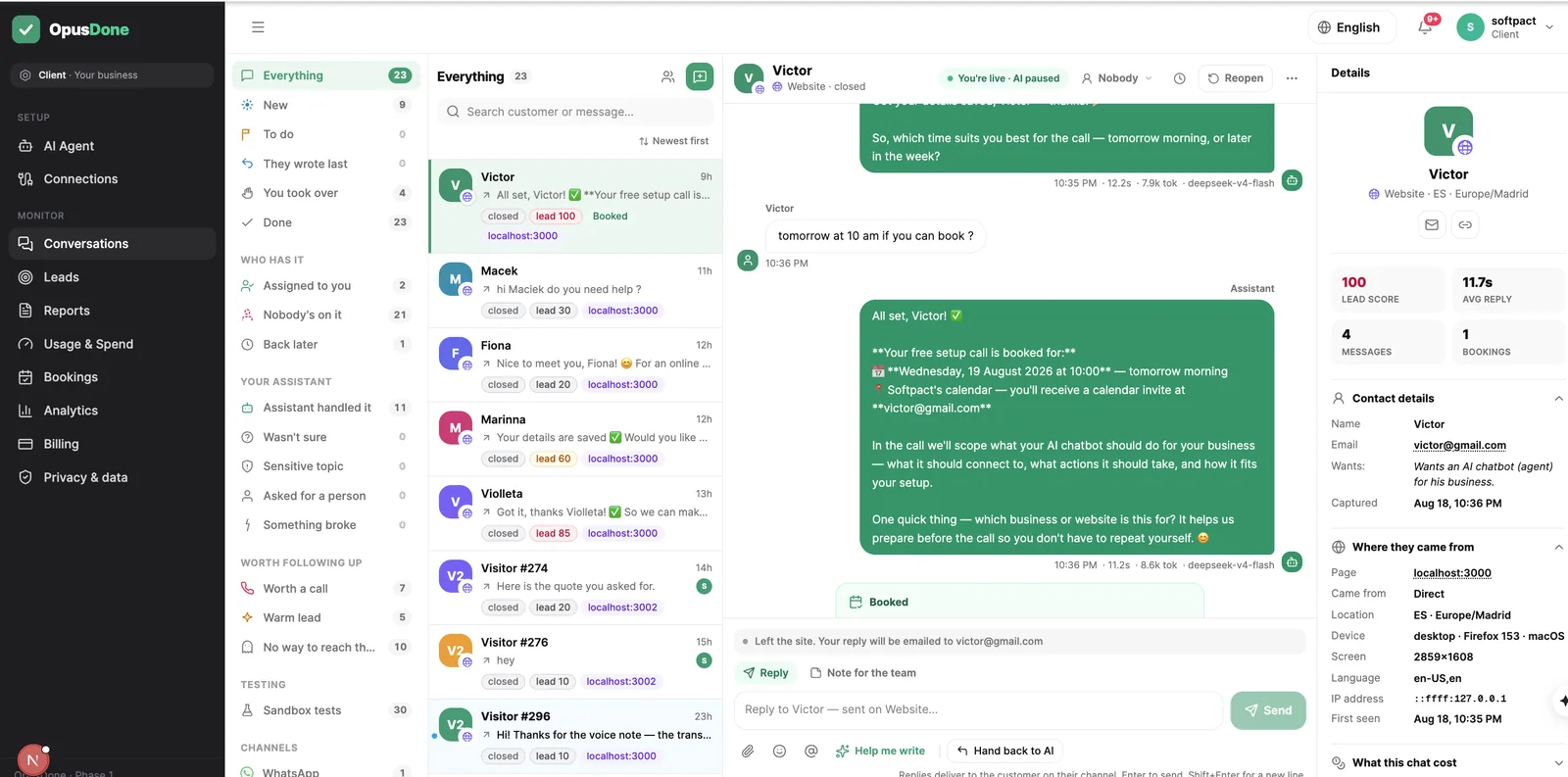
A customer conversation in the OpusDone inbox

The appointment

The slot the customer picked, written straight into Google Calendar or Cal.com with two hours’ minimum notice by default. Closed days and working hours were checked before any option was offered.

Availability is read again at the moment of writing, so it cannot double-book.

Appointments in the OpusDone bookings screen

The lead

One lead per person, deduped on email, phone or visitor key across channels, and scored on published weights: opened chat +10, engaged +10, name +10, company or website +25, email +40, phone +40, booked +40, capped at 100.

You are alerted at 50. Hot is 75, warm 50, cool 30.

A scored lead in the OpusDone leads workspace
Setup

What do you set up in OpusDone once?

None of it needs a developer after the first line.

  • Paste one script tag into your site. No iframe.
  • Point us at your website and let the crawl draft entries.
  • Approve the drafts you want live. Imports never go live alone.
  • Set opening hours, a phone number and an escalation target.
  • Connect Google Calendar or Cal.com if you take bookings.
  • Choose where leads land: a Google Sheet or an https endpoint.
  • Link your Telegram alerts bot by scanning a QR code.
  • Test in the sandbox: real instructions, no leads, no alerts.
  • Run the five-point readiness check before you publish.
  • Publish. The change reaches the agent in about fifteen seconds.
Guardrails

What does OpusDone never do in that minute?

These are not tendencies or defaults. They are rules in the runtime, and they hold when the customer is persistent.

It never invents a fact

Prices, timelines, capabilities, availability: if it is not in the knowledge you approved, it is not in the reply. The instruction is explicit, and the way out is a human, not a guess.

It never offers to get back to you

A separate block forbids offering actions it cannot perform. It cannot check stock, track an order, send a document, apply a discount, or say it will find out and come back. That rule was written after a sandbox reply offered to look up a price history it had no way to reach.

It never reads an attachment

There is no vision capability. A photo or a file it cannot read skips the model entirely: an honest acknowledgement, an escalation, and your inbox shows what arrived.

It never ignores a request for a person

If a customer asks for a human and the model does not escalate, the runtime creates the escalation itself. Any tool that fails escalates too, and the conversation carries on rather than stopping dead.

It never runs on unapproved content

Pages imported from your website land as awaiting approval, never live. You read them and approve them, or they never reach a customer.

How it works: the questions people ask

How long does setup take before the first real answer?

Point the setup crawler at your website and it picks your pricing, services, FAQ, contact and hours pages, then reads your meta description, Open Graph tags and JSON-LD for phone, address and opening hours. One model pass turns that into structured services, FAQs, policies and four to ten draft knowledge entries. You approve what is right, fix what is not, and the readiness check tells you what is still missing.

Can I test without a customer seeing it?

Yes. The sandbox runs your real instructions and your real tools, and creates no leads, alerts, analytics or escalations. Calendar writes are blocked unless you deliberately tick “book for real”, and no inbound channel can reach that mode. You can also test an unpublished draft while customers keep seeing the published version.

Which channels are live?

The website widget, which is one script tag and no iframe, and Telegram. WhatsApp, Instagram and Messenger are not live. Because every channel enters the same function, the work you do on knowledge and instructions is not channel-specific.

What is the go-live readiness check?

Five items: your instructions are no longer an untouched template, at least five live knowledge entries, opening hours and a phone number set, an escalation target set, and at least one sandbox conversation. It is advisory rather than blocking, so you can publish before it is all green if you want to.

How quickly does a change reach the assistant?

A published change reaches the agent within seconds. You do not redeploy anything and there is no cache to clear on your side. If you are unsure, send the same question through the sandbox and compare.

Where does everything run?

The application, database and file storage run on servers in Germany. Every business’s data is isolated and every query is scoped to it, and credentials are encrypted at rest with AES-256-GCM. Erasure works end to end, and a data export produces a ZIP in both JSON and CSV with internal team notes excluded.

Build it free, go live in an afternoon

Free to build and test, no card. The trial runs fourteen days from the day you go live. Starter €39 a month, Pro €99, 15% off yearly.

Request access
How OpusDone Works — One Message to Booked | OpusDone